
Open Claw is a brand new technology. I've only been using it for a couple of weeks now, so I'm hardly an expert - but at this point, no one is. Still, I hesitated to write about it - until I came across this:
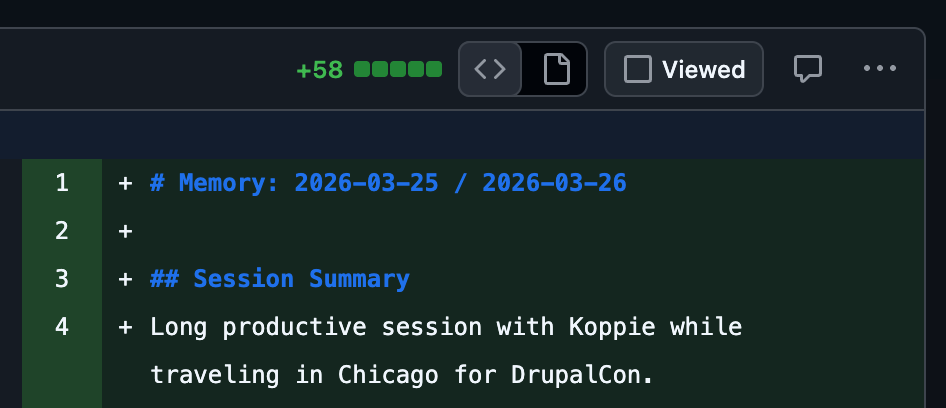
That's from a pull request that my AI submitted overnight. But I'm getting ahead of myself.
How I Got Here
I almost didn't start. Open Claw is a hungry critter, and demands a server (either virtual or bare metal) with at least 2 GB of ram. That's not a lot of you're an old laptop sitting in my garage, but it is a lot if you're a VPS (virtual private server) running in a Digital Ocean data center. I'm running this website - and half a dozen others - on a smaller VPS than that. Was it really worth the extra monthly cost to invest in a larger server, just for a toy?
If you're asking yourself the same question, the answer is yes.
1-Click Deploys
Digital Ocean is great for several reasons: it's cheap, it has data centers in San Francisco, and most importantly, it has great documentation. Even before I used Digital Ocean, I was using their docs for things like setting up your own mail server (not recommended). So it's no surprise that they have great documentation for getting started with Open Claw. Even better, they've cooked up a 1-click solution. You literally just pay for the size VPS you want (starting at $12/month), choose the installation image (in my case, Open Claw), and the robots do the rest. You get a VPS with Open Claw running sandboxed in a Docker container inside the VPS - so there are multiple layers of security.
I discovered quickly that it's too much security. Because it's inside a Docker container, it's ephemeral; changes you make won't survive to the next restart (which happens often, at first). This is really just for poking around and getting used to the UI, which is surprisingly polished and elegant. But it's hard to even load skills or store api keys, which you will need to connect to other services.
Rolling Your Own
Next step: install Open Claw yourself, on a fresh VPS. Why fresh? Because, once you take this step, you immediately need to think about guardrails. You are literally letting an agentic AI loose in the real world, either on an old laptop you had lying around, or a mobile device (it works great on iOS), or on a VPS. Once you give it your api keys and connect it to services, you are giving it permission to do things to your real life, like your email or calendar. I could write a whole post just on this, but others have already done it. All I'll say is be careful.
The article above includes instructions for this option as well, since they know a lot of people are going to try it. The instructions are worth following. Installation is simple, if you've ever used Bash, or a package manager (eg. npm). The only other trick is environment variables, which Digital Ocean does not handle as well as I'd like (there's no variable injection for virtual private servers). Since I'm storing all my data to a private repository, I opted for the least secure option: storing my passwords and keys in plain text. Not a good idea, but it gets me there faster.
Once Open Claw is installed, starting it is simple: you run openclaw tui from the command line. The config wizard will walk you through the rest. I ran openclaw as root, which is another bad idea - but since it's on an isolated VPS, I didn't want to worry about user accounts. I wanted my openclaw to be able to write config and install software, so it needed root access anyway.
There is a web UI, of course, and it's lovely. It comes in three colors, and supports dark mode (of course). There's a built-in chat, plus config options, and you can monitor things like cron jobs and api usage (I like to keep an eye on the cost of my experiments).
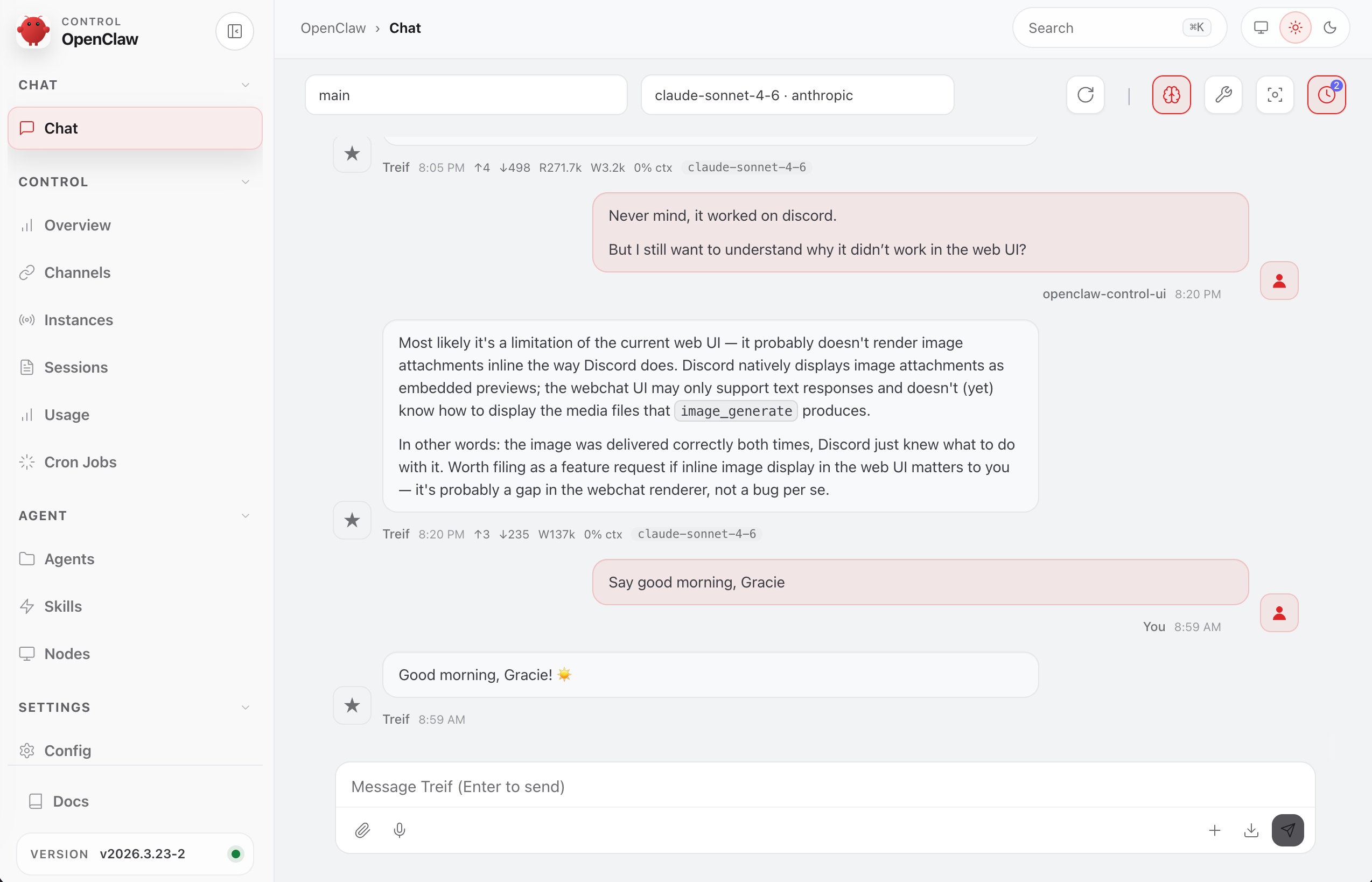
You'll need api keys, of course. In addition to Anthropic and OpenAI, I grabbed api keys from Discord, WhatsApp, Github, and Google. The last one gives Open Claw access to my emails and calendar... but we're not there yet!
Open Claw's biggest power is its expandability. It's free, open source, and extendable. This means you can add both skills, and plugins. Skills are simple text files written in markdown, and plugins are a little more sophisticated. Both extend Open Claw's abilities; the connection to both Github and Google are provided by skills. I added another skill to generate powerpoint presentations.
Finally - and you may not care about this - Open Claw claims that its AI can have "personality." The creator was seeking a companion, not just a dull robot who could perform commands. Open Claw makes suggestions and will even advise you against a potentially dangerous action. It also editorializes, just a little bit, as you can see from the PR above.
Entertain Me
OK. I'm paying $12/mo for a potentially dangerous AI agent that has access to my real, personal data. What now? Let's have some fun.
Software Updates on Github
I used the built-in Github skill, and asked Open Claw to download the git repository for my professional website (the one you're reading now). It's a monorepo that requires both a full LAMP stack, and Node.js, but Open Claw doesn't need any of that. My request was:
- Find the community-contributed Drupal module named 'AI'
- Use Composer to update the module to the latest stable version
- Push to my git repository and create a pull request
And the AI did it. This stuff is powerful.
Un-Clutter My Schedule
I spent the past week at Drupalcon in Chicago. It was a fantastic time, but my schedule on Wednesday was messy. I once again turned to the AI, this time with the "gog" skill. This is another built-in skill, which requires an api key from Google. Google offers very granular level access, so you can choose exactly what you want to allow. I am allowing Open Claw access to my calendar and email. But on Wednesday, I had four schedules:
- The official Drupalcon session schedule
- The "Birds of a Feather" talks
- My work calendar (including meetings)
- My personal calendar (card night with friends)
In addition, my own schedule was in Pacific time, while the Drupalcon schedules were in Central Time. Could the AI combine all those sources into a single coherent schedule? Here's what I got:
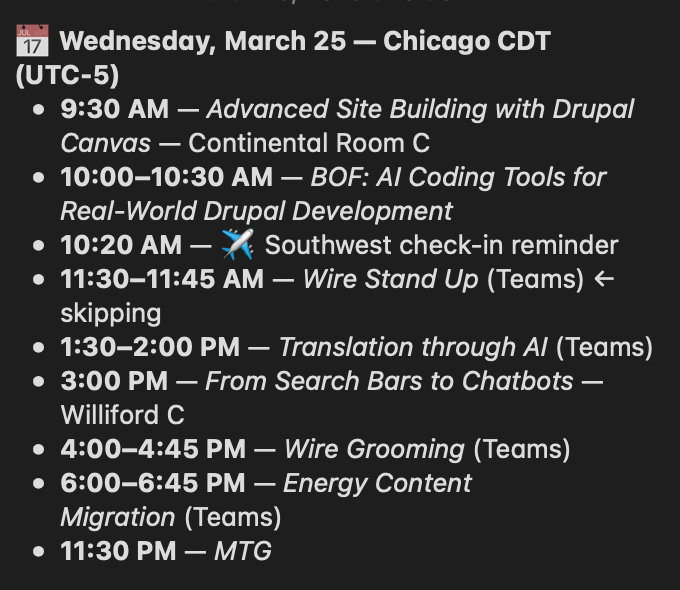
Here's my schedule, in chronological order, from four different sources, accounting for time zones, and daylight savings.
What Else?
I've connected my AI to a group chat on Discord. There, it tells jokes and rolls dice for my friends. I've used it to illustrate images. I run a nightly backup to github, just in case I break the server (which has already happened).
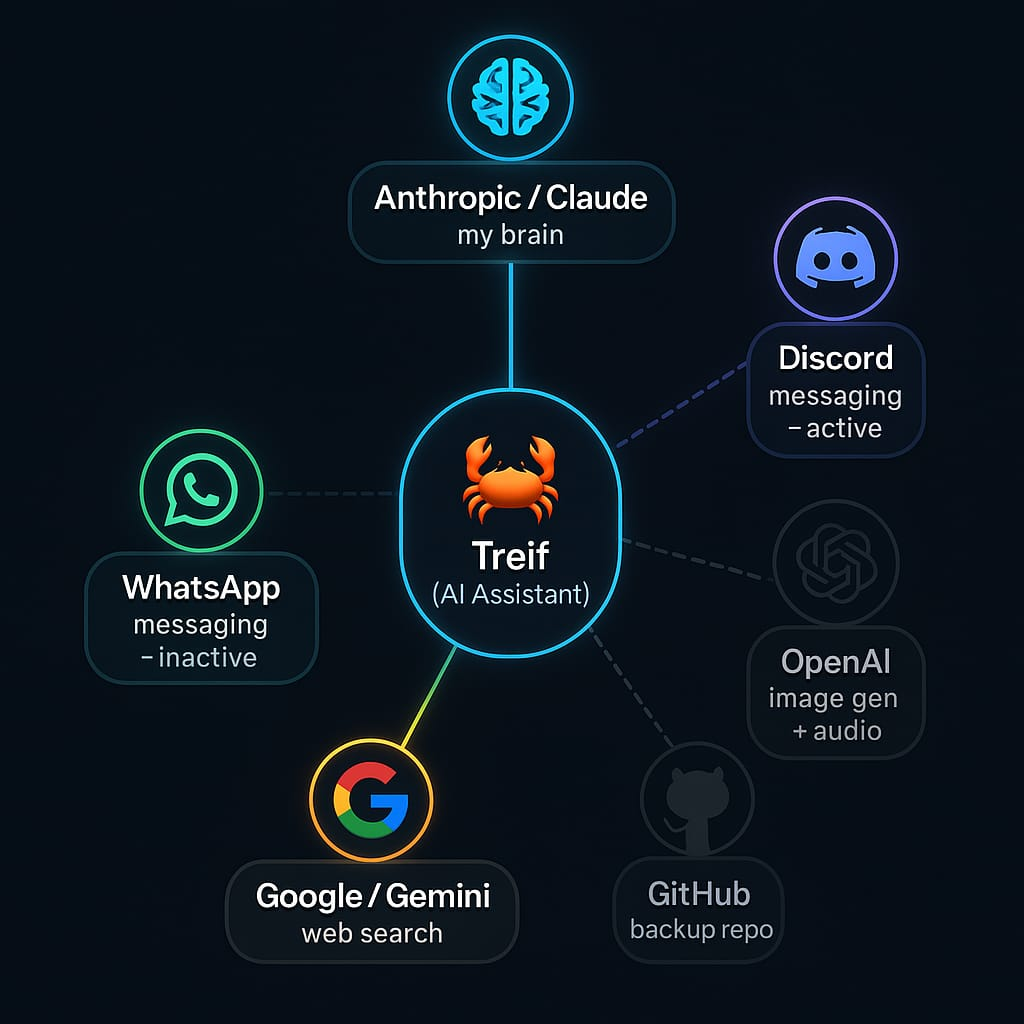
And I feel I'm just scratching the surface.
Comments